0 → 1: From AI Framework to Enterprise-Level MVP
We established an AI framework to enhance clarity and alignment around AI features within our platform. Guided by this framework, we launched Nia — a GenAI-powered MVP that reimagines the Insight’s e-commerce B2B shopping experience through conversational, intelligent assistance. The pilot achieved a 22% faster purchase flow, 15% higher bundle attachment, and a 12% boost in user satisfaction, marking a successful first step toward scalable AI integration.
UX Strategy & Product Designer
Led UX strategy and product design for Nia, transforming vague AI goals into a GenAI MVP. Collaborated cross-functionally to build the AI framework, facilitate workshops
Role
Double Diamond AI Framework, GenAI MVP, AI Opportunity Mapping, Scalable AI Design Principles
22% faster purchase flow
15% higher bundle attachment
12% boost in user satisfaction
Impact
Project manager, Product Owner UX designers, Developers
Our team worked closely with stakeholders, including Q&A, the architect, and software engineers.
Team
🎯 1. Establish a scalable AI framework
Create a structured, human-centered approach that clarifies AI’s role and can be adopted across teams.
✨ 2. Enhance user experience through AI
Design intelligent, transparent features that simplify decisions and personalize the shopping flow.
🧭 3. Explore AI’s strategic value
Turn abstract ambition into actionable insight, shaping ethical, long-term AI integration within the product ecosystem.
Goal
🤖 Lack of AI Clarity
The organization wanted to integrate AI but struggled to define its real purpose, scope, and business impact.
🌀 “AI as a Buzzword” Mindset
AI was often treated as a trend rather than a strategic tool, leading to misaligned goals and unclear priorities.
🔍 No Shared Framework
Without a unified approach, teams explored AI in silos—resulting in fragmented experiments instead of cohesive, user-centered solutions.
Challenge:
As AI began reshaping digital products, our organization—traditionally focused on enterprise solutions—wanted to explore how artificial intelligence could meaningfully enhance customer experiences. However, the initial goal was vague: “Let’s add AI to the platform.”
Without a clear understanding of AI’s role, feasibility, or value to users, teams found it difficult to translate ambition into actionable design strategies
Background
Final delivery (Short Term):
Final delivery (Long Term):
Design Process
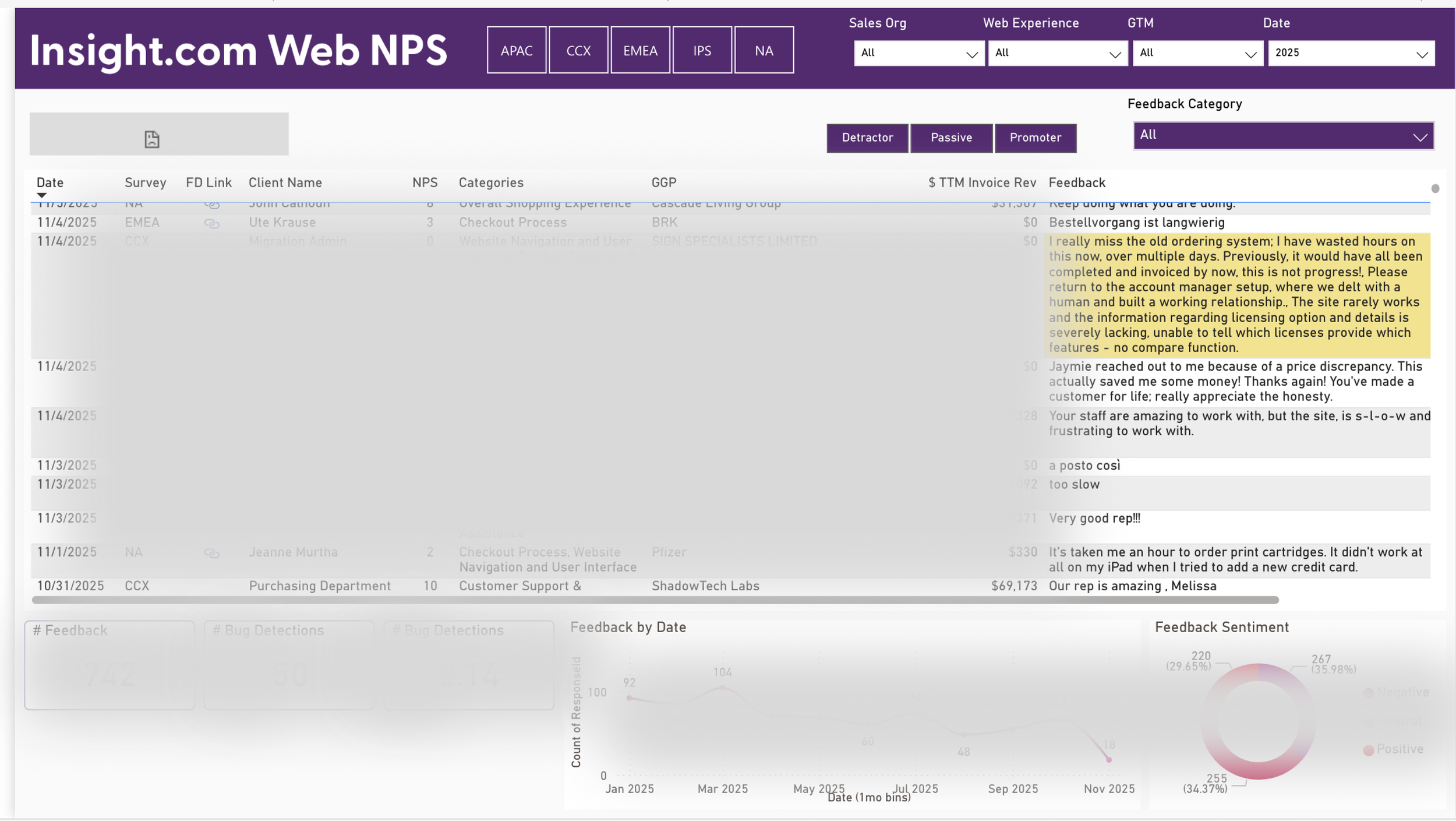
We fed NPS survey results from Power BI into AI tools to analyze user feedback and capture the most common complaints and pain points. These insights helped us understand recurring user frustrations and guided our next steps in defining personas and opportunities.
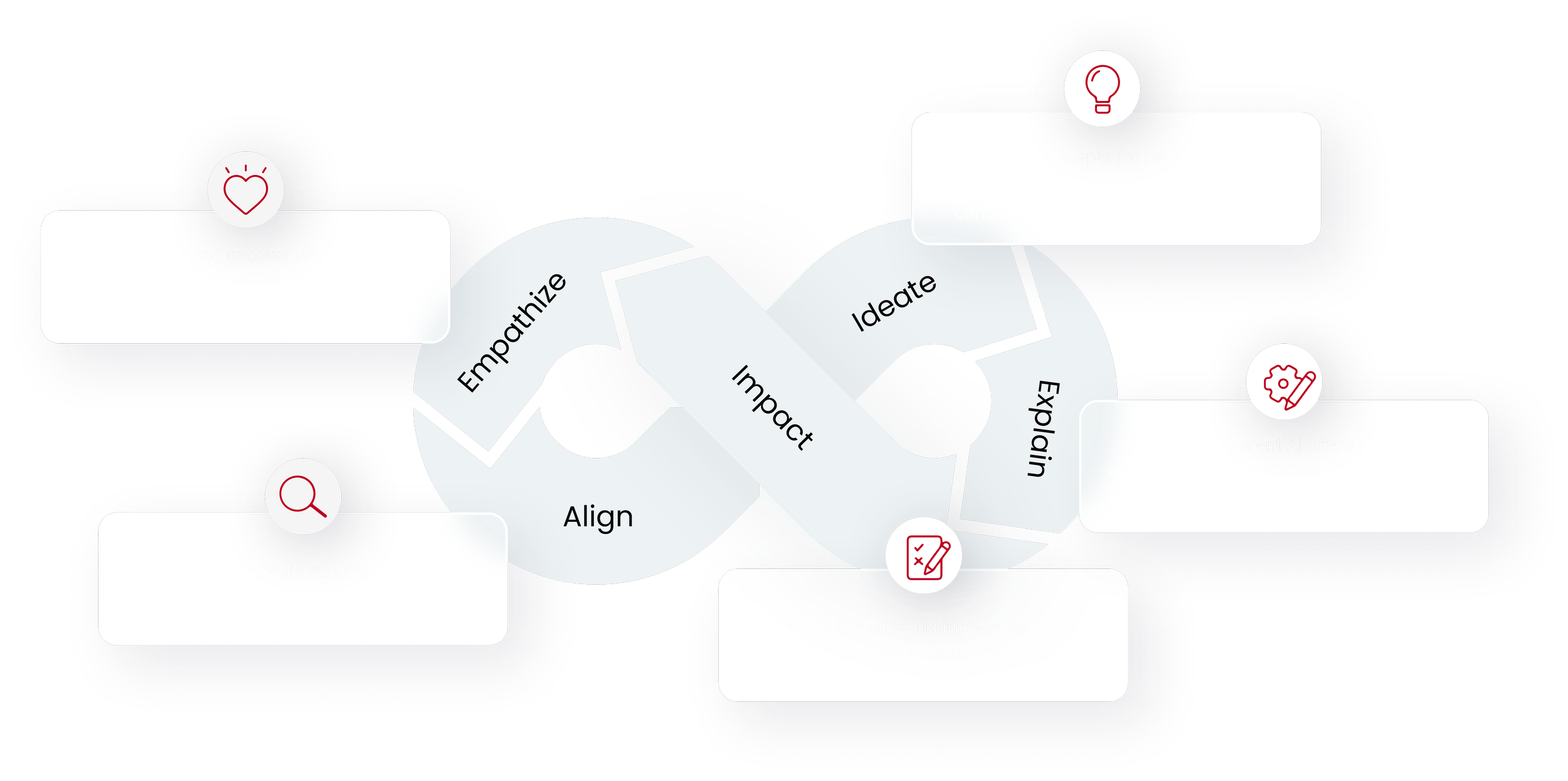
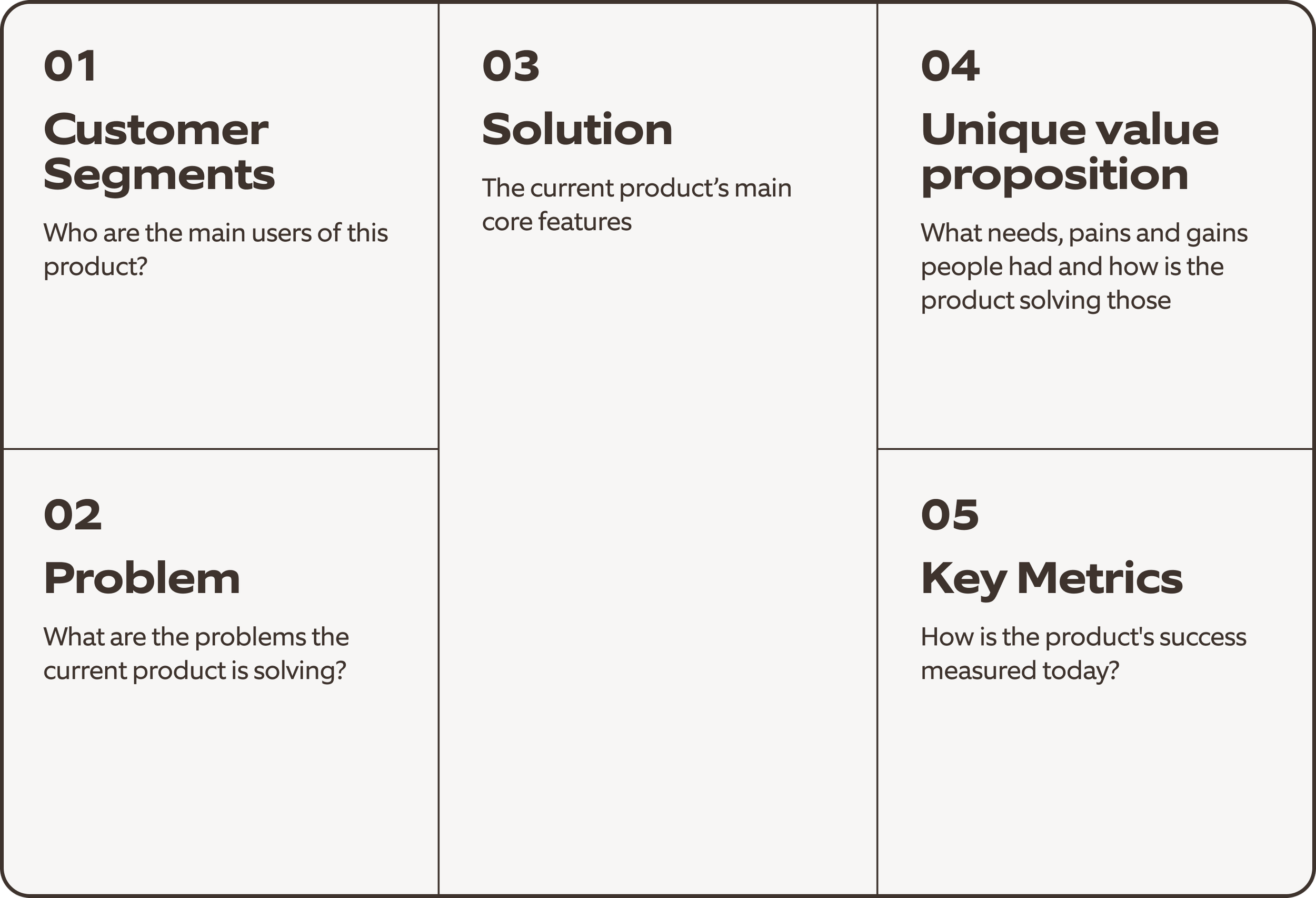
Collaborative Validation Through Lean Product Canvas
📊 Mapped Insights into Lean Product Canvas
Organized AI-generated pain points and opportunity areas to visualize user challenges and business value.
🤝 Cross-Functional Collaboration
Worked with product, engineering, and data teams to validate assumptions and refine problem statements through a collaborative workshop.
🎯 Defined Core Problems & Opportunities
Aligned on the most critical user needs and high-impact business opportunities to focus the next phase of design.
Persona
1. Overwhelmed by Product Comparisont issues
Users feel overwhelmed when comparing products across multiple brands and specifications, often unsure which option fits their needs best.
What are the problems?
User Desires
Phase 1: Empathize & Align
AI Tools: Microsoft Azure OpenAI Service, Google Cloud Natural Language API, Google Gemini
“There are just too many options. Every brand says theirs is the best, but I can’t tell what really fits our team’s needs.”
– Business Operations Manager (Male, 40s)
2. Reliance on Price & Brand Reputation
Many rely on price and brand reputation as decision shortcuts, lacking confidence in their technical understanding
“I usually just go with the same brand we’ve used before or whatever’s on sale — I don’t really know the technical differences.”
– Procurement Specialist (Male, 38)
3. Time-Consuming Procurement Workflow
Procurement workflows are time-consuming, requiring users to manually collect details, compare specs, and verify compatibility.
“It takes me hours to gather specs and check compatibility. I wish there was a quicker way to know what actually works together.”
– Procurement commdoities (Female, 45)
Needs:
Find the most suitable hardware based on budget, brand, and performance requirements.
Quickly compare products without manually checking multiple listings.
Gain confidence in purchase decisions through clear, AI-supported recommendations.
Reduce time spent in the purchasing process and avoid decision fatigue.
Prompt1:
"I need to purchase laptops for three new hires under $1,200 each — what’s the best option that fits our company’s brand preference?"
Prompt 2:
“Can you compare the performance and compatibility between these two laptop models and recommend the better one for business use?”

Rob
Business Operations Manager
Phase 2: Explore
AI Tools: Google Gemini
1: Define Opportunities
🧠 AI-Powered Guidance
Leverage AI to simplify the discovery and comparison process, helping users make informed, confident choices.🎯 Personalized Recommendation Engine
Generate product suggestions based on user profiles, budgets, and brand preferences.💬 Context-Aware Interactions
Enable conversational, responsive assistance that adapts to each step of the shopping journey.🔎 Explainable AI Design
Integrate transparent reasoning into recommendations to build user trust and encourage adoption.🛒 Seamless End-to-End Flow
Allow users to move effortlessly from discovery to checkout within one integrated experience.
Unlocking AI-Driven Insights,At this stage, we focus on how Nia can enhance the user experience by providing relevant, actionable information. This involves two key steps:
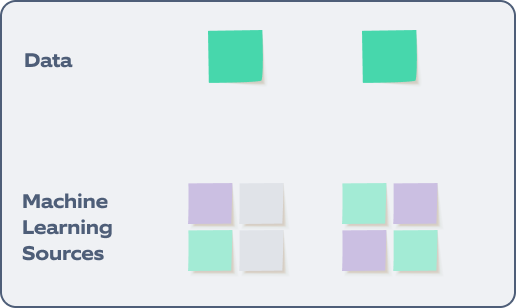
2: Identifying Data Sources – Collaboration with Developers
To enable meaningful AI-driven interactions, we collaborated with engineering and data teams to:
✅ Identify trusted data sources (product specs, compatibility rules, pricing, user preferences).
✅ Define how data should be structured and connected to ensure accurate, consistent AI responses.
✅ Build a scalable integration approach that supports future AI use cases across the platform.
This work created the technical backbone needed for a reliable, transparent, and adaptable GenAI experience.
Phase 3: Design
AI Tools: Figma, Miro, loveable, cursor
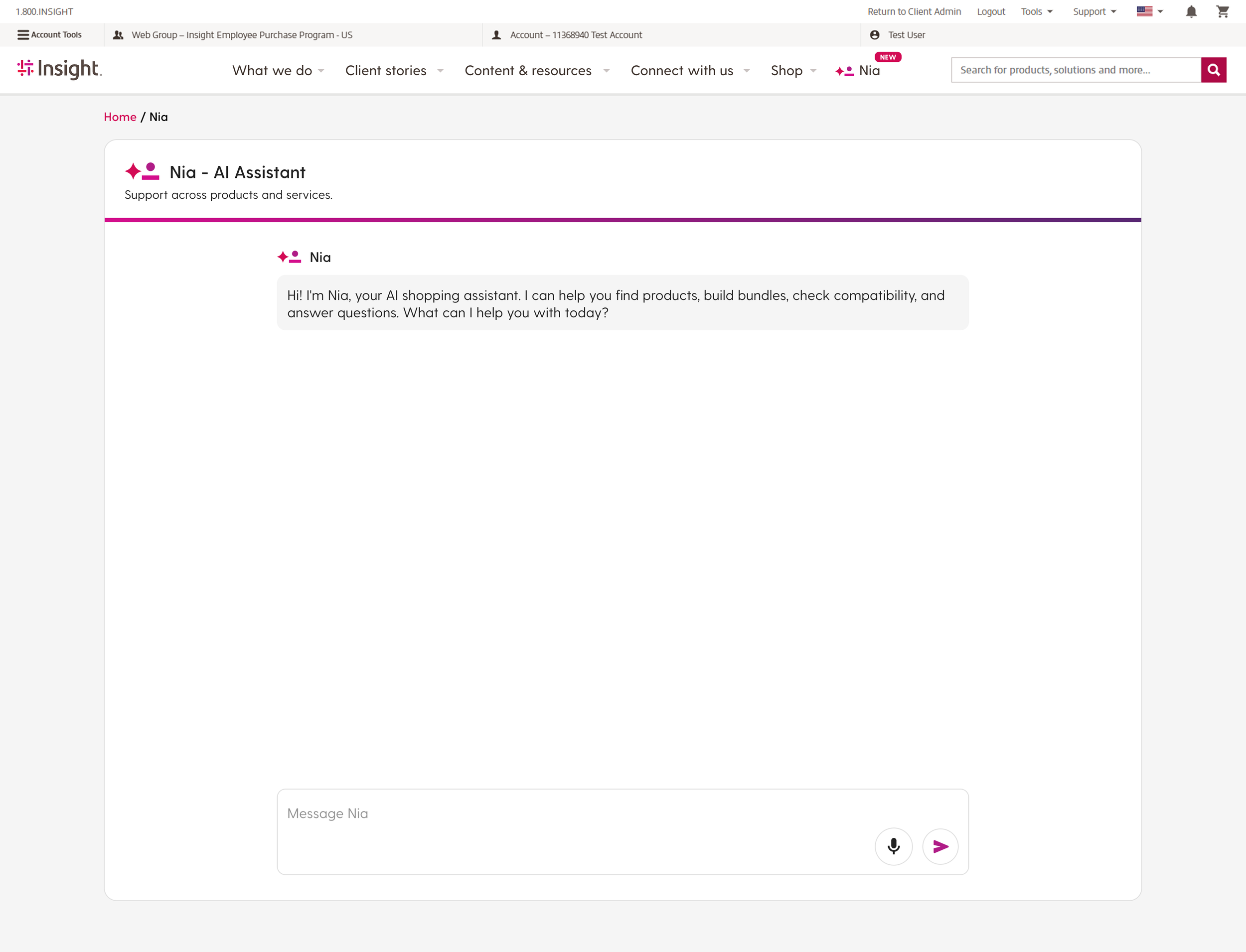
Version 1
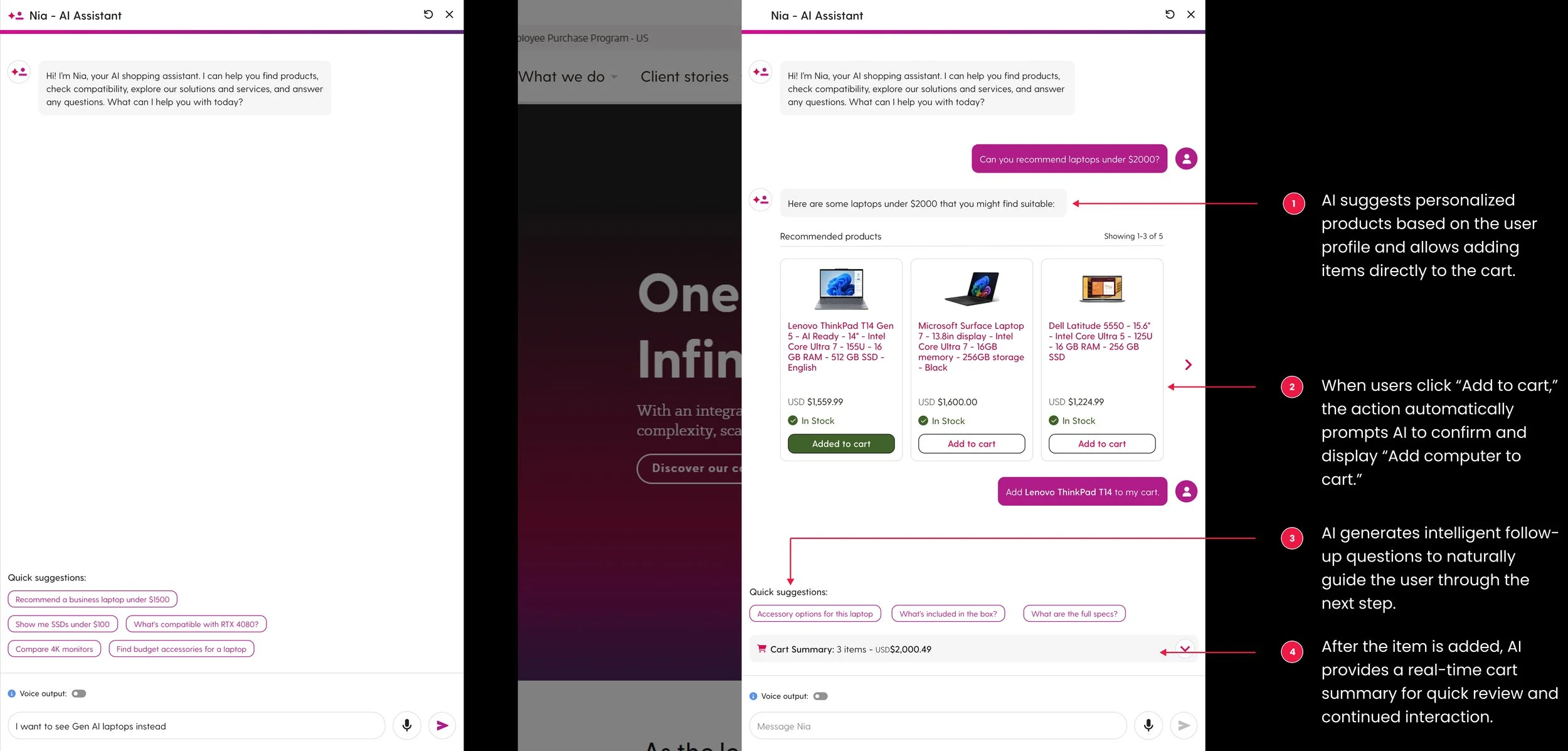
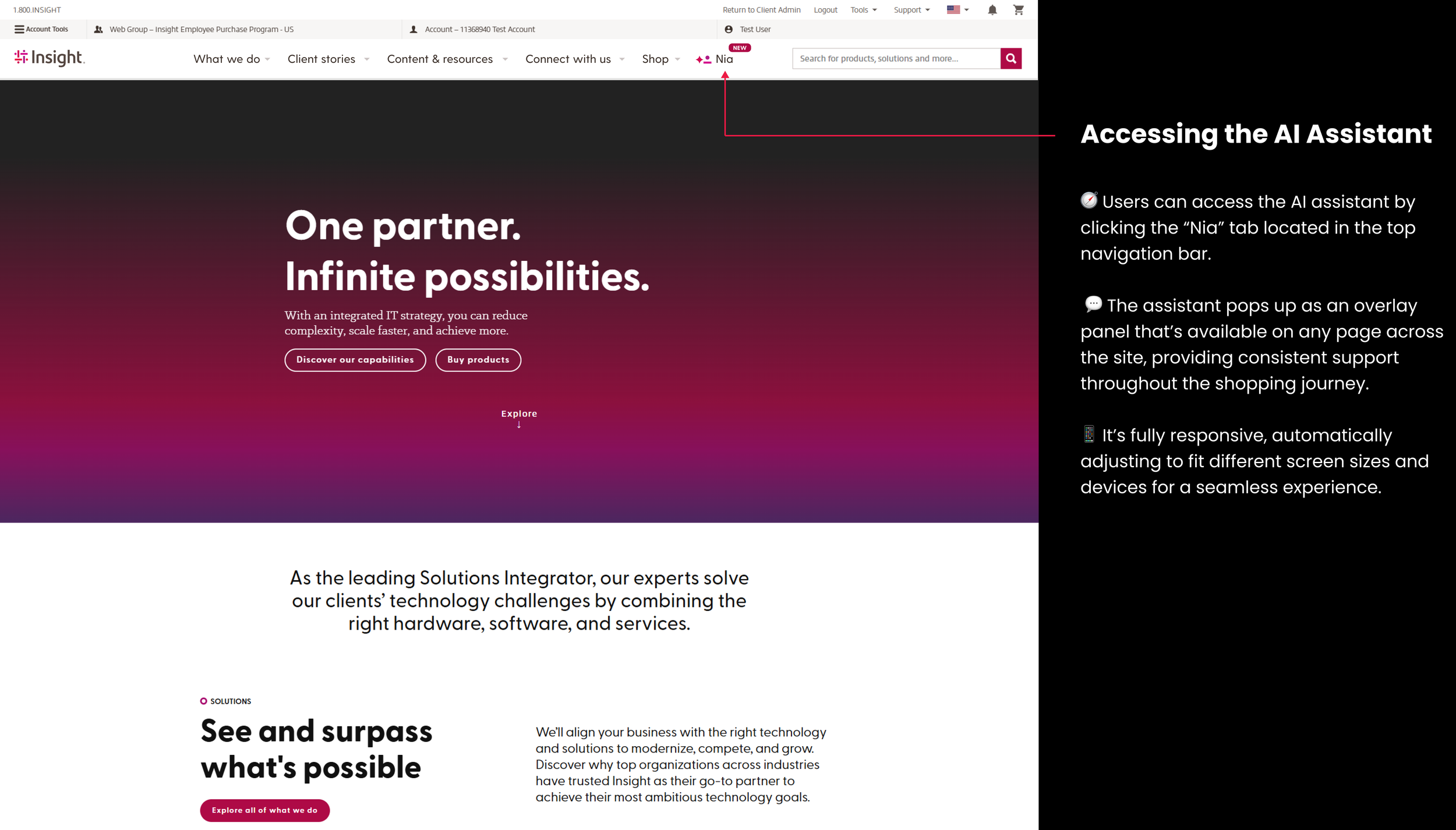
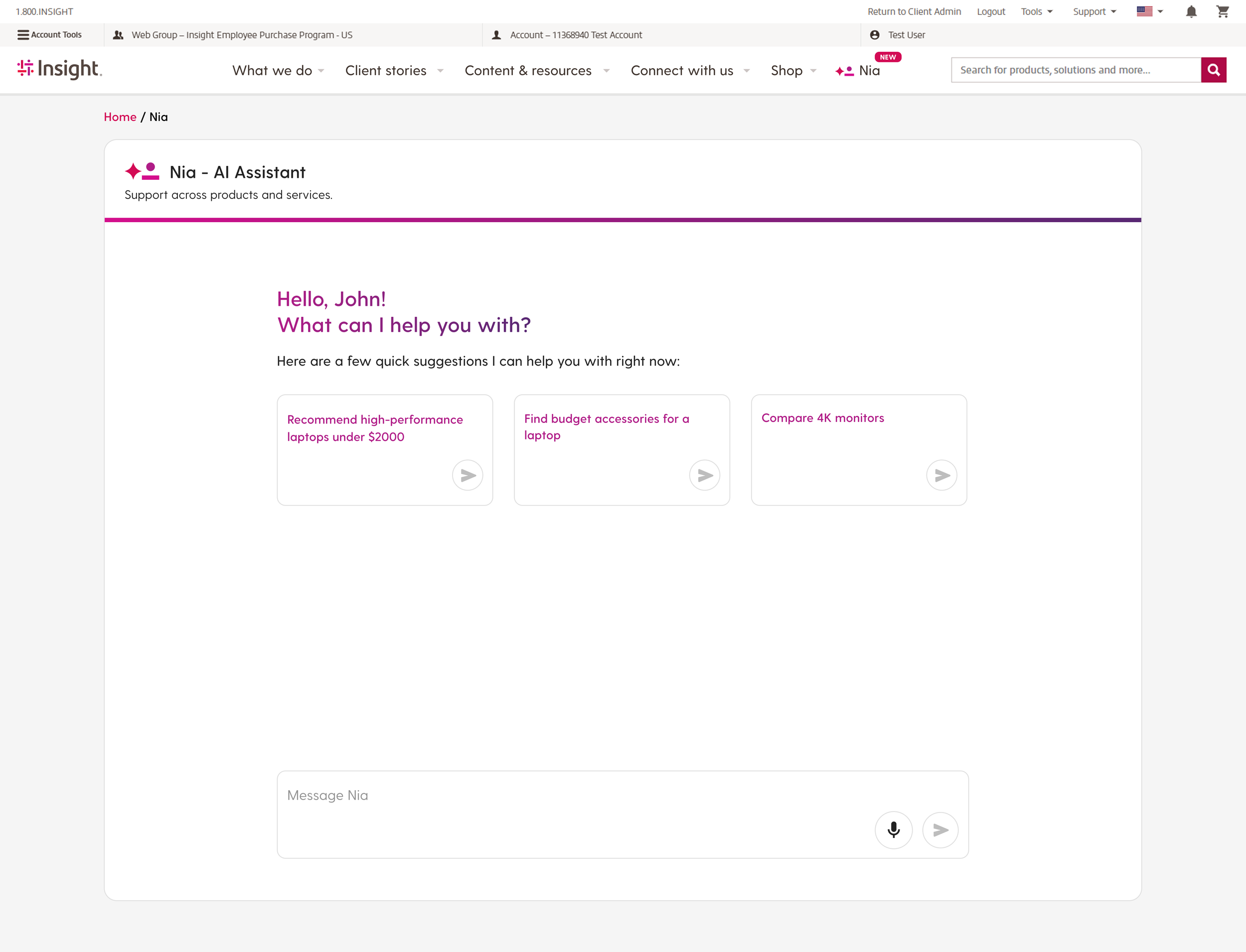
Our first concept used a full-page AI assistant, giving users a dedicated space to chat with Nia and explore recommendations without distractions.
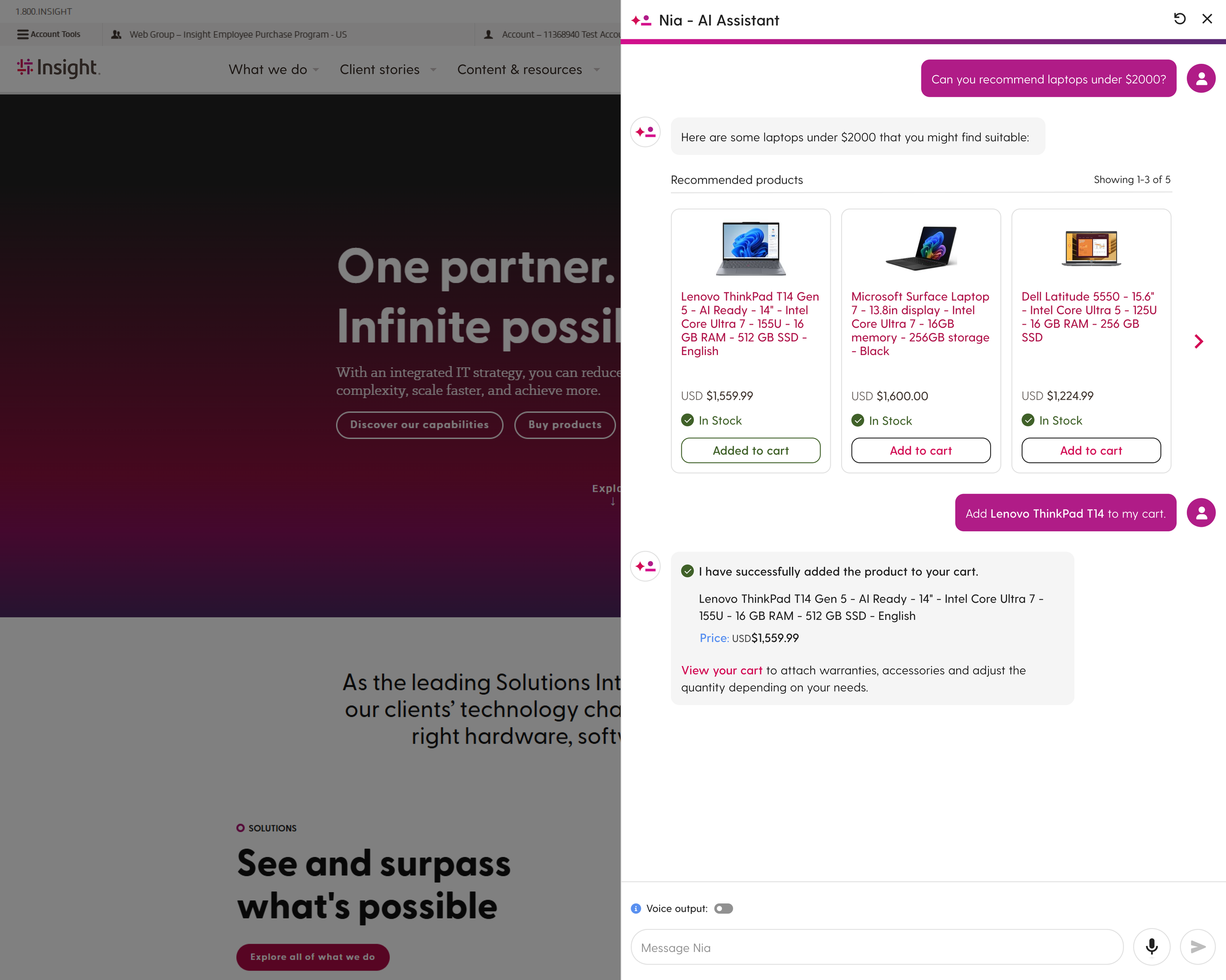
Version 2 (MVP Version)
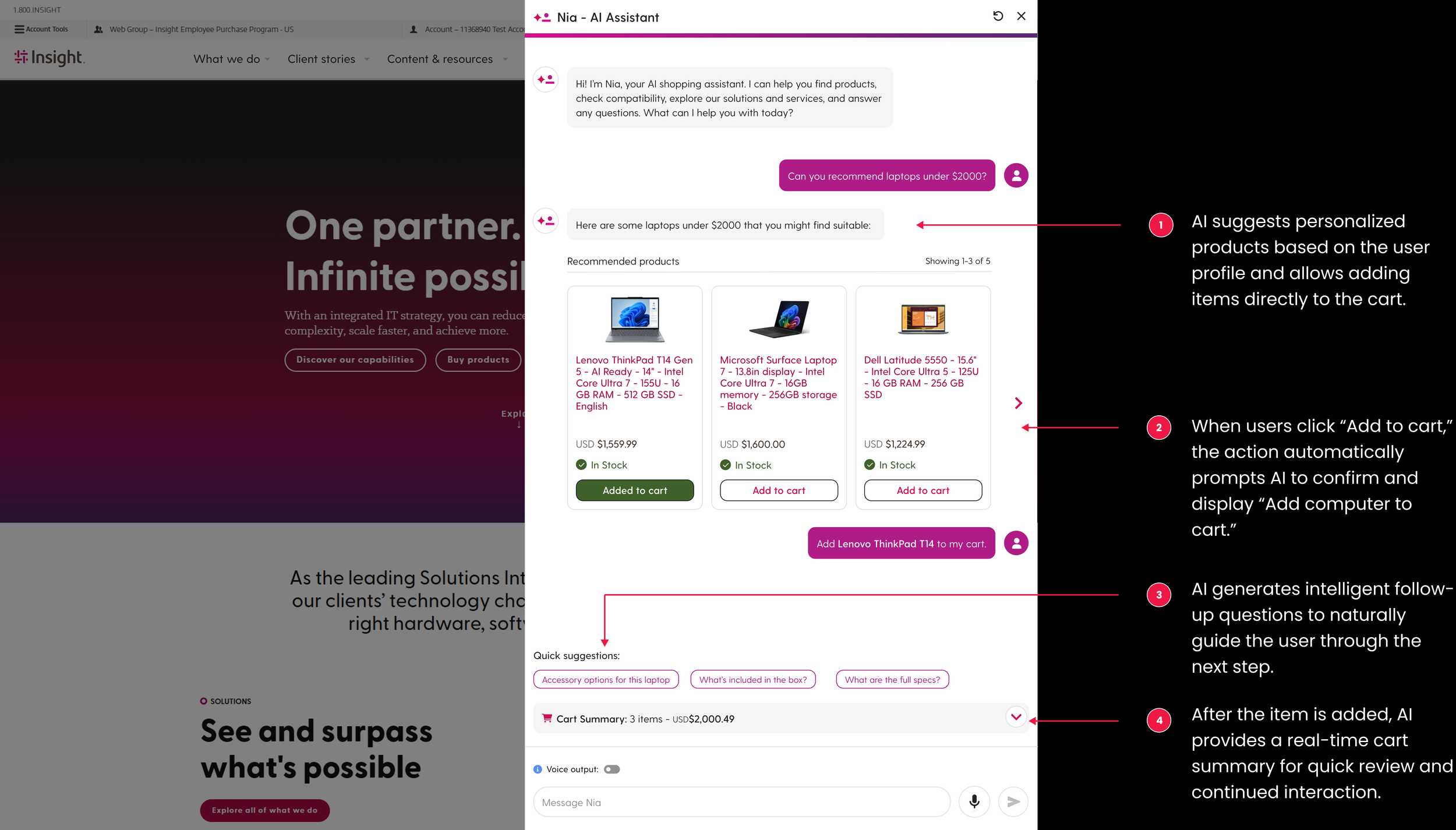
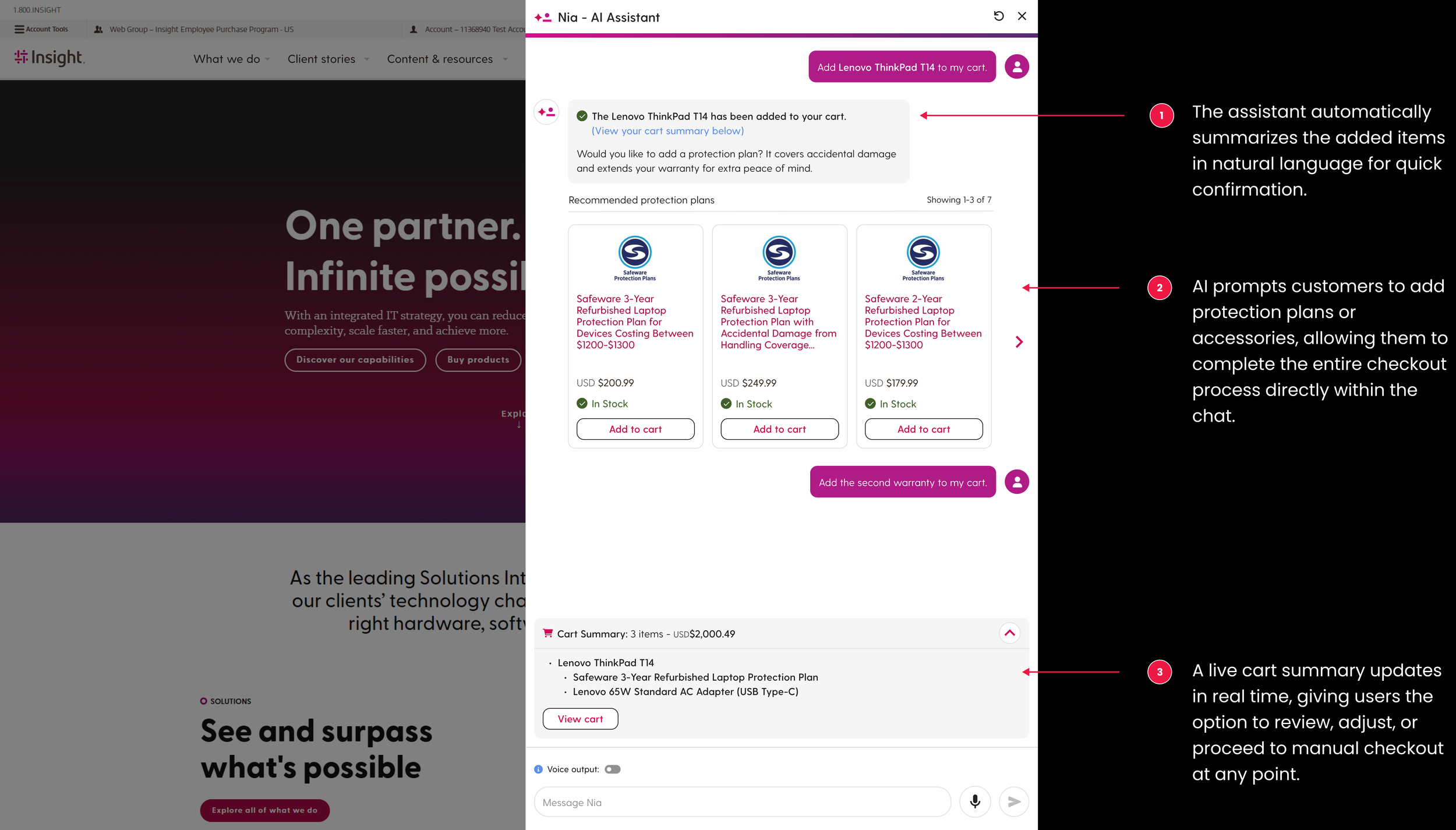
After testing the full-page concept, we created a second version: a persistent sidebar assistant that supports users directly within their shopping flow.
Why this direction:
🛍️ Supports real shopping behavior — users can browse products while asking questions.
🔄 Keeps context — the Nia chat stays open as users move between pages.
⚡ Faster decision-making — recommendations and comparisons appear without interrupting the journey.
⏳ Timeline-friendly — the sidebar version allowed us to launch the MVP quickly.
This iteration became our MVP because it delivered seamless, in-context AI guidance with minimal disruption to the shopping experience.
Version 3 (Future Version)
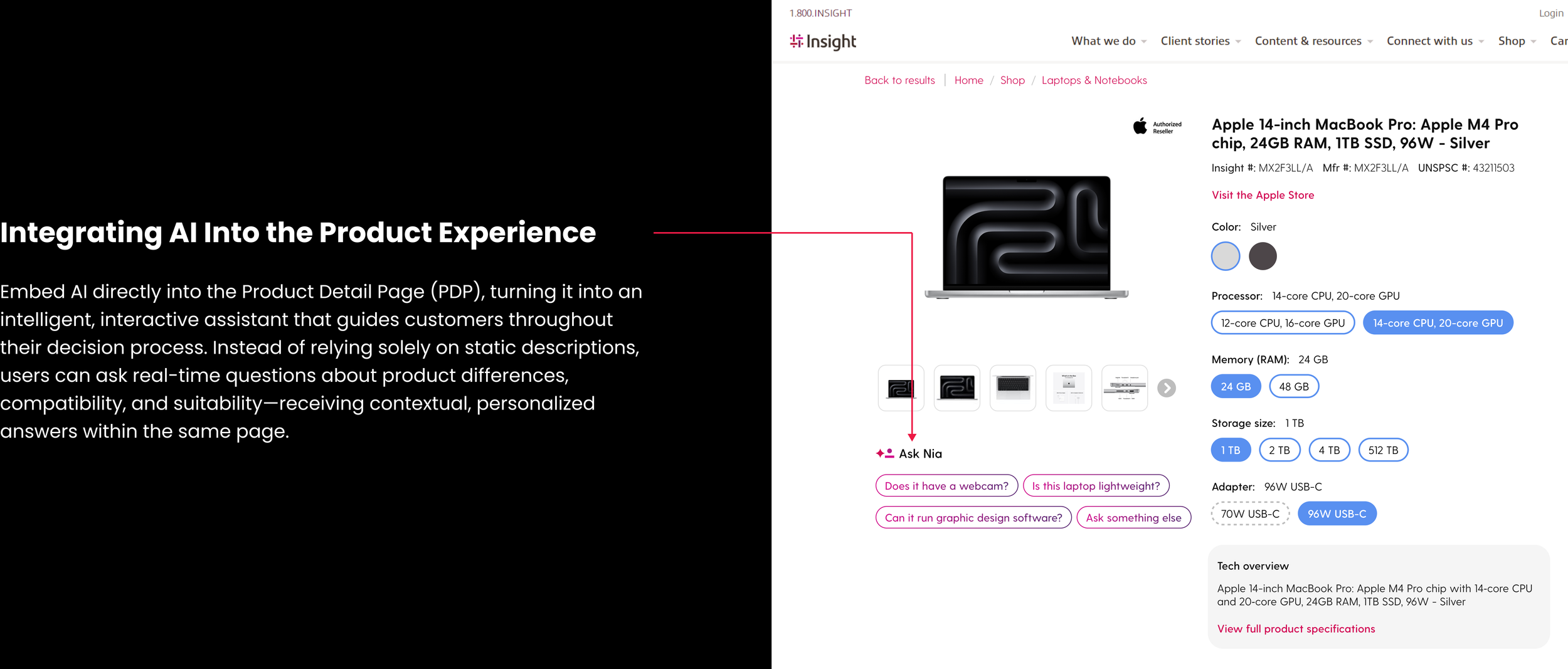
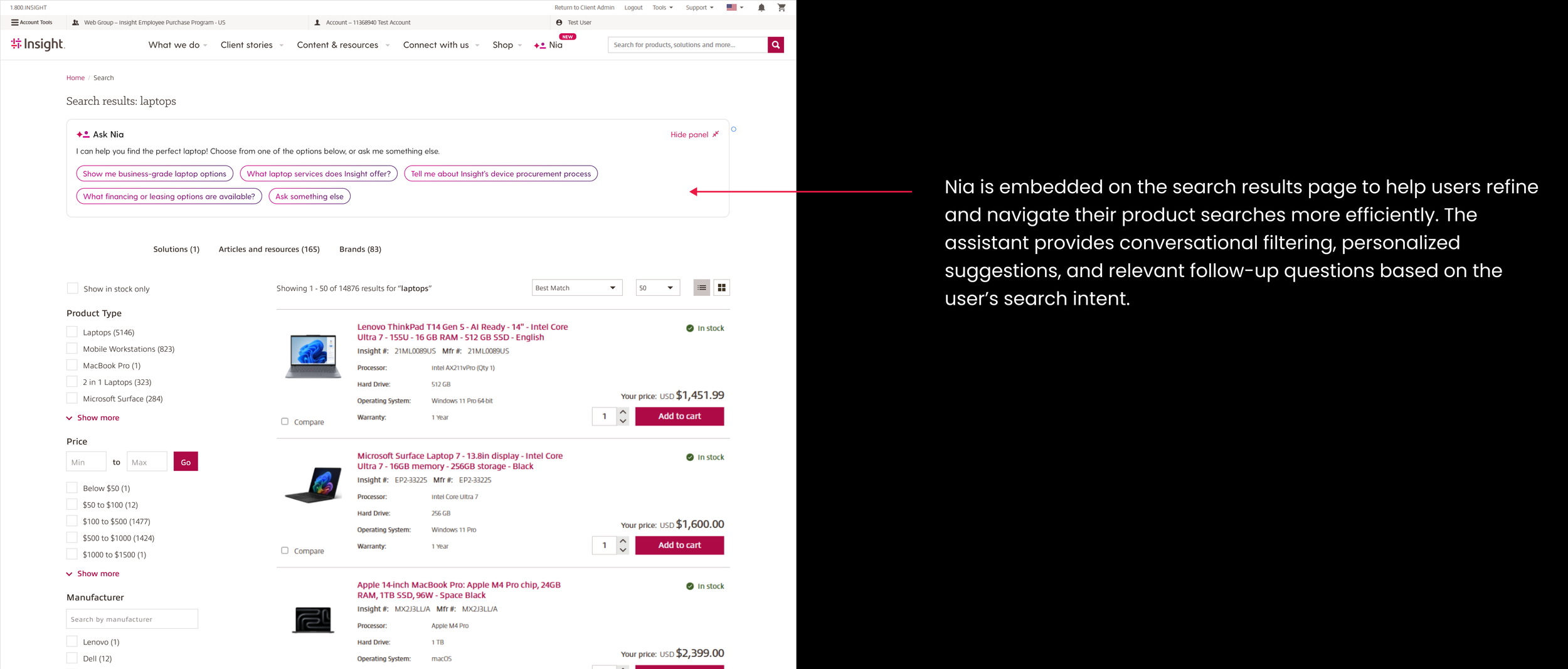
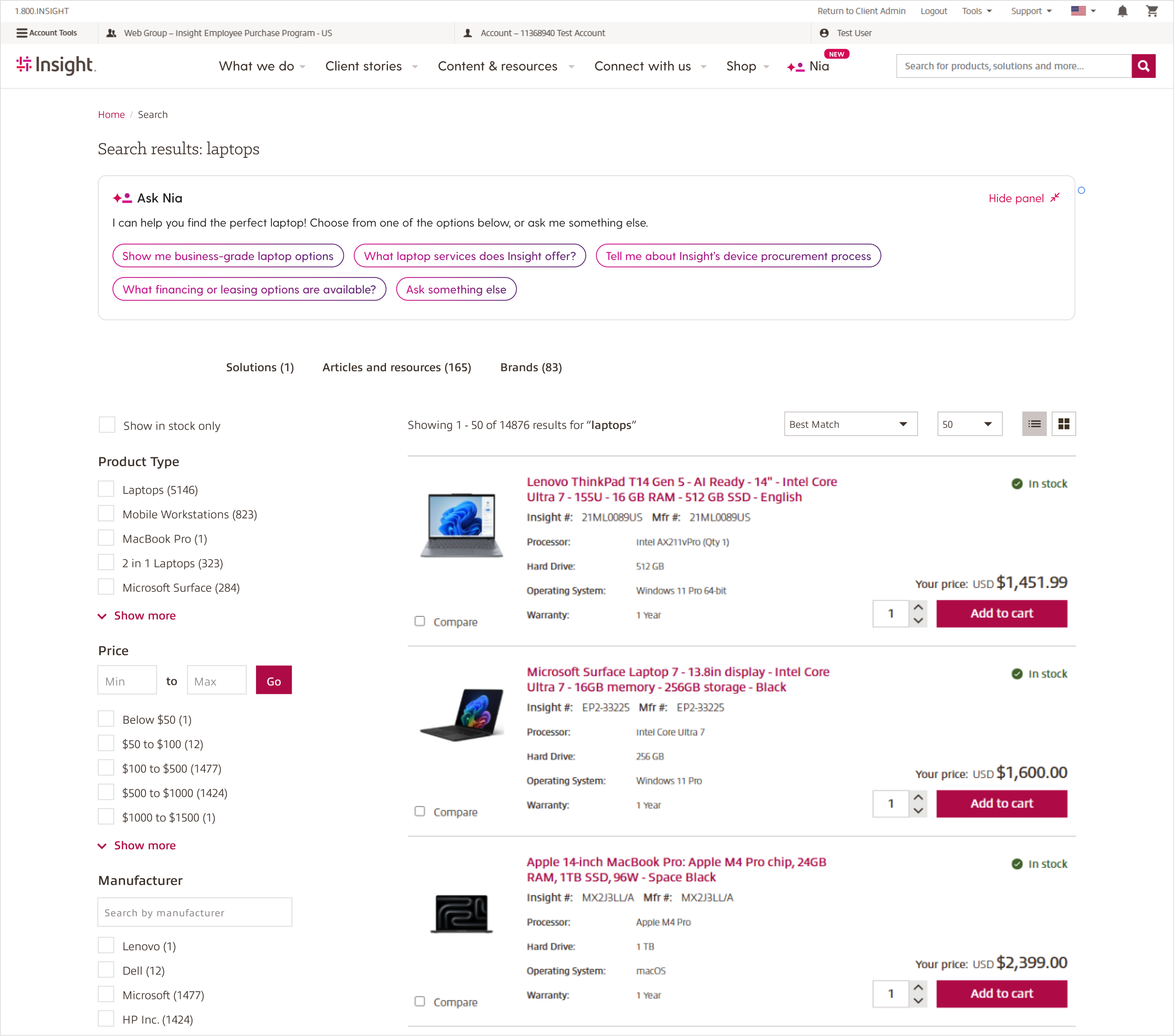
As customers adopt Nia, our next step is to embed the assistant directly into core shopping pages:
🔍 Search Results Integration
Allow users to ask Nia questions while filtering and comparing products.
Provide instant clarification on specs, compatibility, and alternatives.
📄 PDP (Product Detail Page) Integration
Support users with real-time answers about product differences, suitability, or upgrade options.
Reduce confusion and build confidence at the moment of decision.
🎯 Why this matters
More accessible AI support across the journey.
Continuous, in-context assistance without switching screens.
A smoother, more personalized end-to-end shopping experience.
Usability Testing & Key Insight
We quickly put this concept into usability testing to validate how customers would use AI during real shopping scenarios.
Why the Full-Page Approach Didn’t Work
❌ Interrupted shopping flow
Users had to leave product pages to interact with the AI, breaking their browsing momentum.
❌ Lack of side-by-side comparison
Customers couldn’t compare products while chatting with Nia at the same time.
Team Recommendation
✔️ Persistent sidebar assistant
Keep Nia accessible while users continue browsing and comparing products.
✔️ Conversation continuity
Allow users to navigate freely across pages without losing their AI interaction.
Impact
Business Impact
22% faster purchase flow
15% higher bundle attachment
12% boost in user satisfaction
Team Impact
This project accelerated the team’s AI maturity—giving us a shared framework, a clearer understanding of AI’s role, and a concrete path for future adoption. For a traditionally structured enterprise, this was a major step toward scalable AI integration.
The MVP didn’t just deliver new functionality—it helped the organization confidently move toward an AI-driven future.